Vibe Coding My Own Indoor Cycling Training App
I exercise on a “smart” stationary bike. One day, the app I usually train with started misbehaving, and I had no idea whether the problem was in the app or in the bike.
The bike uses open standards. So, instead of waiting for a support reply, I asked a coding agent to write a small tool that talks directly to it. That quickly answered the question: the bike was fine. The issue was in the app.
I could have stopped there. I didn’t.
A few weeks later, that debugging tool had become Stationary, my own indoor training app: live dashboard, structured workouts, heart-rate-guided sessions, an FTP ramp test, ride history, and a futuristic 3D scene to keep me pedaling. I didn’t write a single line of its code.
In my previous post, I wrote about how AI coding tools let more people build the software they want for the hardware they own. This is that idea applied to my own living room.
Open standards make it possible
Most smart bikes and trainers implement the Bluetooth Fitness Machine Service (FTMS). It defines how a machine advertises itself, how it reports speed, cadence, power, and heart rate, and how an app can take control of it to set a target power or resistance level. Heart-rate straps and watches use another open profile, the Heart Rate Service.
That is what made the whole experiment practical. The agent didn’t have to reverse engineer anything. It had to implement a published specification.
To make sure it implemented the actual specification and not its memory of it, the first thing I did was convert the FTMS PDF into a Markdown knowledge bundle inside the repository, organized by section, following the approach I described in OpenWiki and OKF Agent Wikis. Every time the agent needed to decode a field or send a Control Point command, the authoritative source was a file away.
The first version was little more than a codec for the FTMS payloads and a console that printed what the bike reported. Enough to see that the bike was sending correct data.
One more feature at a time
What followed is the part that still surprises me. Each step was a small “why not?”:
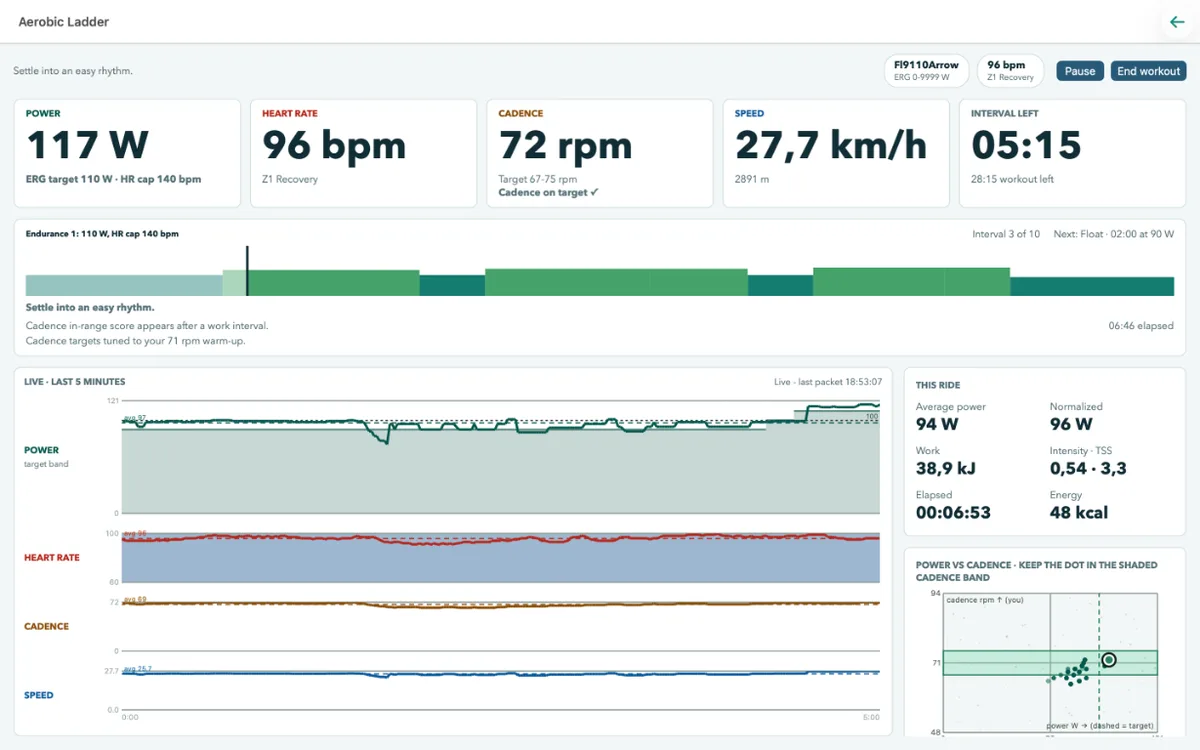
- Why not show the data? A dashboard with live power, heart rate, cadence, speed, and charts of the last minutes.
- Why not control the bike? FTMS allows setting a target power (ERG mode) or resistance, so the dashboard gained controls, shown only when the machine supports them.
- Why not train? Structured workouts, training plans, and heart-rate-guided sessions, with cadence guidance when targets change.
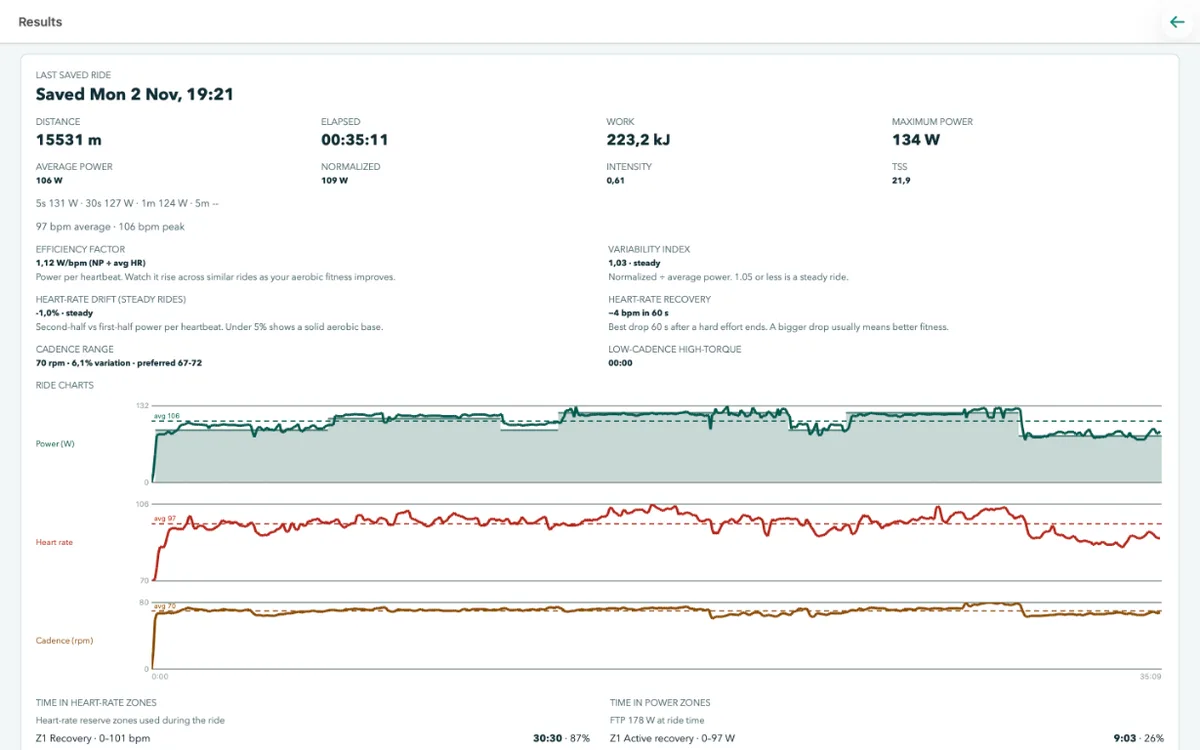
- Why not know my numbers? An FTP ramp test, used to scale workout targets, and a results page with normalized power, intensity, TSS, efficiency factor, heart-rate drift, and time in zones.
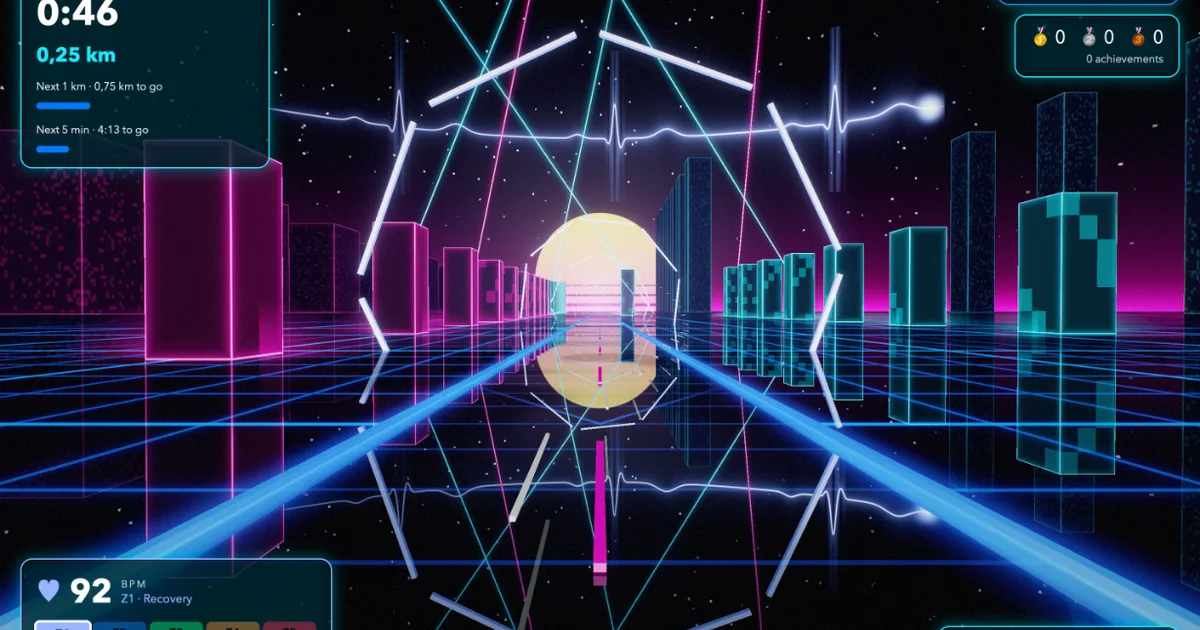
- Why not make it fun? A 3D ride scene where cadence drives the beat, heart rate pulses the sky, and staying on target earns medals and milestones.
None of these were planned at the start. That’s the nature of a personal application: there is no roadmap, no product owner, no market research. There’s me, on the bike, noticing what I’d like to have next.
Not writing code is not the same as not making decisions
“Vibe coding” is often described as describing what you want and accepting whatever comes out. That’s not quite what happened here.
I didn’t write code, but I’m an experienced developer, and I made technical choices that shaped the whole project. I explained my reasoning on many of them in .NET Development in the Code Agent Era, so I’ll focus on what they meant for this app.
.NET
I wanted the app in .NET. It’s the ecosystem I know best, which means I can review what the agent produces, judge its trade-offs, and recognize when something smells wrong. It also offers strong analyzers and a compiler that catches a lot before anything runs.
The FTMS codecs are a good example. They parse and encode payloads using ReadOnlySpan<byte>, Span<byte>, and BinaryPrimitives, with no allocations on the hot path. That’s the kind of code I’ve written about for years, so I knew what to ask for and how to verify it, including benchmarks with BenchmarkDotNet.
A reactive application
A training app is fundamentally about streams of events: Bluetooth notifications arriving from the bike and the heart-rate strap, connection state changes, Control Point responses, timers, and user input. All arriving concurrently, all needing to end up on the UI thread.
That’s exactly the problem Reactive Extensions (Rx.NET) was designed for, so I asked for a reactive application. The bike can send data several times per second, but the dashboard only needs the latest value. In Rx, that is a single operator:
1
2
3
var sampledTelemetry = currentSessionTelemetry
    .Sample(TimeSpan.FromMilliseconds(200), timerScheduler)
    .ObserveOn(RxApp.MainThreadScheduler);
It also enforces a rule I had in the instructions: never block a Bluetooth notification callback waiting for the UI.
The same mindset applies to commands sent to the bike. FTMS Control Point operations must be serialized: send one, wait for the response, then send the next. The agent implemented this as a queue of asynchronous operations concatenated into a single observable sequence, so they can never overlap.
ReactiveUI
For the presentation layer, I asked for ReactiveUI. It brings Rx to MVVM: user actions become ReactiveCommands, availability is derived from observable state, and properties are computed from pipelines with ToProperty.
My favorite example is the training session. Executing a workout is a pure reducer: given the current state and an event, it returns the new state and a list of effects. The view model wires it with Rx’s Scan:
1
2
3
4
5
6
7
8
9
10
var transitions = events
    .ObserveOn(RxApp.MainThreadScheduler)
    .Scan(
        TrainingTransition.Of(TrainingSession.Idle),
        (transition, sessionEvent) => engine.Reduce(transition.State, sessionEvent))
    .Publish();

_sessionHelper = transitions
    .Select(static transition => transition.State)
    .ToProperty(this, viewModel => viewModel.Session, TrainingSession.Idle);
The workout logic has no idea there’s a UI or a bike. It can be tested by feeding it a list of events and checking the resulting states, which is exactly what the tests do.
The view models also live in a portable library, separate from the app. They’re tested without the UI and they run on Linux in CI.
.NET MAUI
I wanted cross-platform support, so I asked for .NET MAUI. For now, the app ships only for Mac Catalyst, which is what I use next to the bike. But the codecs, the training engine, and the view models are platform-neutral, so adding other platforms is mostly a matter of the Bluetooth plumbing and the views.
The 3D scene
The ride scene is the part I would never have attempted on my own as a side project. It uses Silk.NET Vulkan bindings, running on Metal through MoltenVK, rendering on a dedicated thread with HDR, reflections, bloom, and tone mapping. It can even be opened on a second display.
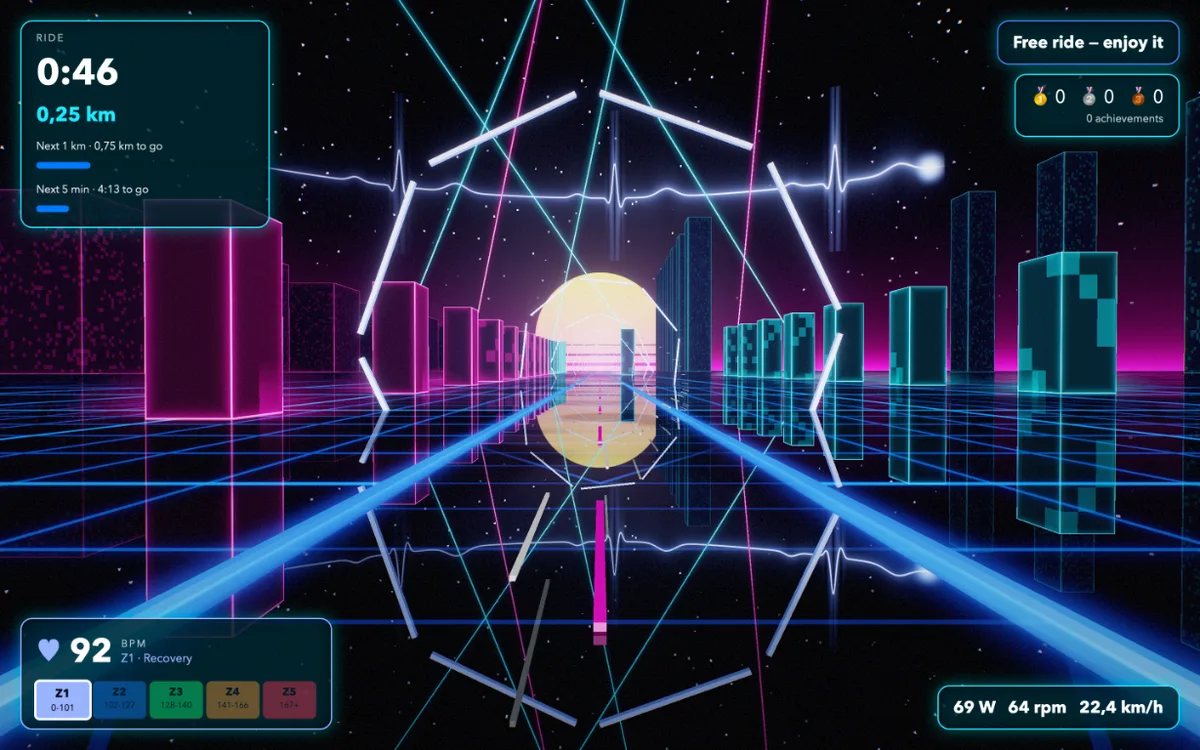
Is it necessary? Not at all. Does it make the ride more engaging? Definitely. That’s the point of a personal app: it can include whatever its single user values.
What kept it on track
Generating code is easy. Keeping a growing codebase coherent is the hard part. A few things made the difference:
- Repository instructions. An AGENTS.md lists the build, test, format, and benchmark commands, plus the rules that matter: allocation-free codecs, serialized Control Point operations, latest-only telemetry, and every UI state change going through ReactiveUI.
- Skills. Agent skills for Rx, ReactiveUI, MAUI, benchmarking, and C# best practices are installed with APM, so the agent gets current, opinionated guidance instead of whatever patterns are most common in its training data.
- A strict build. Nullable reference types, analyzers, code-style enforcement, and warnings as errors. The agent can’t ignore a warning, and it’s told not to suppress analyzer diagnostics.
- Tests and CI. Unit tests for codecs, telemetry processing, heart-rate zones, the ramp test, and the training engine, running in GitHub Actions on every push and pull request.
- Riding. No test replaces getting on the bike. Several issues, like how a cadence target should change when power ramps, only became obvious mid-workout.
The trade-offs
This is not a story where everything just worked.
The agent sometimes took shortcuts that broke the reactive design, mutating bound state from code-behind or wiring an event handler where an observable belonged. Those rules are in the instructions because I had to explain them more than once.
Some classes grew larger than I’d like. A coding agent happily adds one more property to an existing view model; splitting it requires someone to ask. Several commits in the history are refactorings I requested, not features.
Platform details still bite. ReactiveUI had to be pinned to a version that survives trimming on Mac Catalyst, and a few Mac Catalyst UI quirks needed specific fixes. These are the kinds of problems where knowing the platform, or at least knowing what to ask, saves a lot of time.
And there’s safety. A training app controls the resistance of a machine you’re pedaling. Workout targets are guidance, not medical advice, and heart-rate limits are not medical monitoring. That responsibility doesn’t go away because an agent wrote the code.
What I take from it
I started with a question about my bike and ended with an app that fits exactly how I like to train. No subscription, no features I don’t use, and whatever I want next is one conversation away.
Not writing code didn’t mean not engineering. The choices that mattered most were architectural: a reactive design for an inherently event-driven problem, a pure training engine that can be tested in isolation, portable view models, strict builds, and an authoritative specification in the repository. My experience didn’t go into typing; it went into steering.
That’s what I find most interesting about this kind of vibe coding. It doesn’t remove the value of experience. It changes where it’s applied, and it makes software for an audience of one worth building.
The source is on GitHub. If you have an FTMS bike and a Mac, give it a ride.